

 Fetwell Cases
Every case, from the papers to the invoice.
Fetwell Cases reads the case folders you already keep, finds the child, the school, the people and the deadline, and shows you what to do next. Your case files never leave your computer.
- Works in Edge or Chrome on Windows and Mac
- Install it as an app, with its own window
- 15 days of Pro free, no card
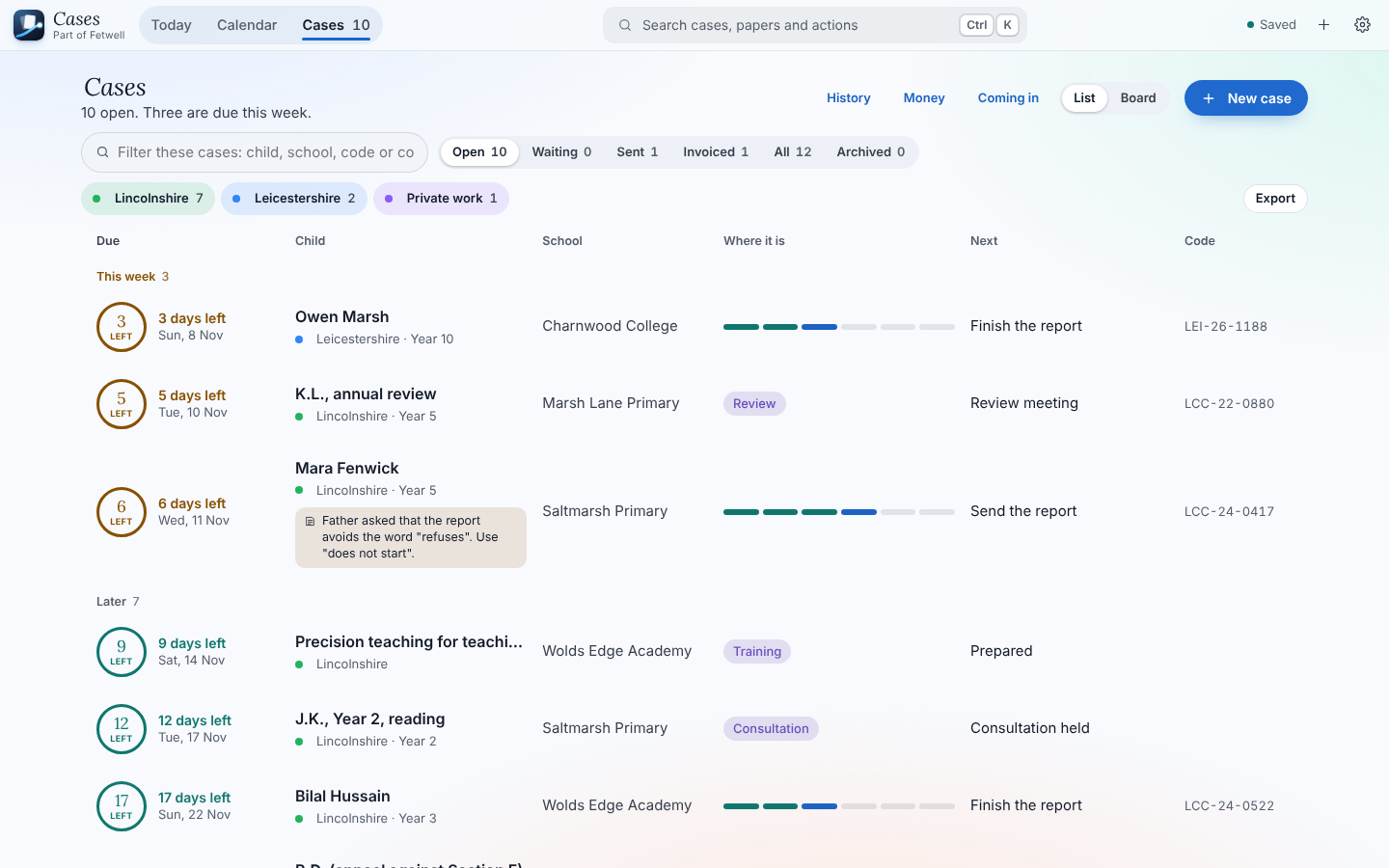
Your day, worked out for you
Today shows what is next, who to ring and what is due. Every case has a ring that counts down to its deadline, in colour: green with time to spare, amber within a week, red when it is late. Arrange the widgets the way you like them.
- What is next, with the people and their numbers
- Your calendar and the free hours between sessions
- Reminders you set on any note, at the time you choose
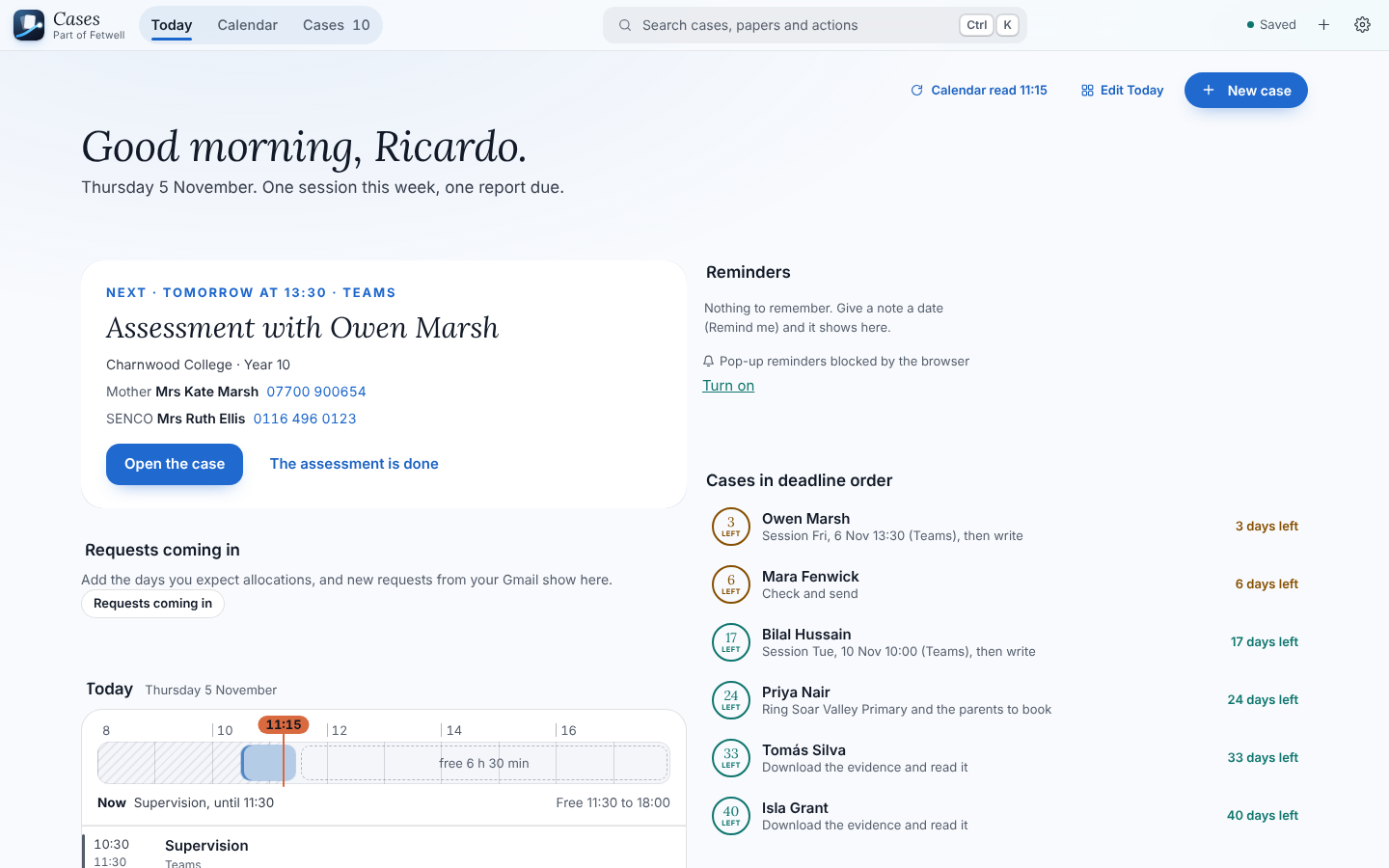
Find anything in the papers
Type a word and Fetwell looks inside every paper of the case as you type, opened or not. It reads words the way EPs write them: SENCo also finds SENDCo and special educational needs coordinator, mum finds mother, EHCP finds EHC plan.
- Each place with the words marked and the page number
- Word, PDF and pictures told apart at a glance, as cards or a list
- Keep any line as a note, with the paper and page it came from
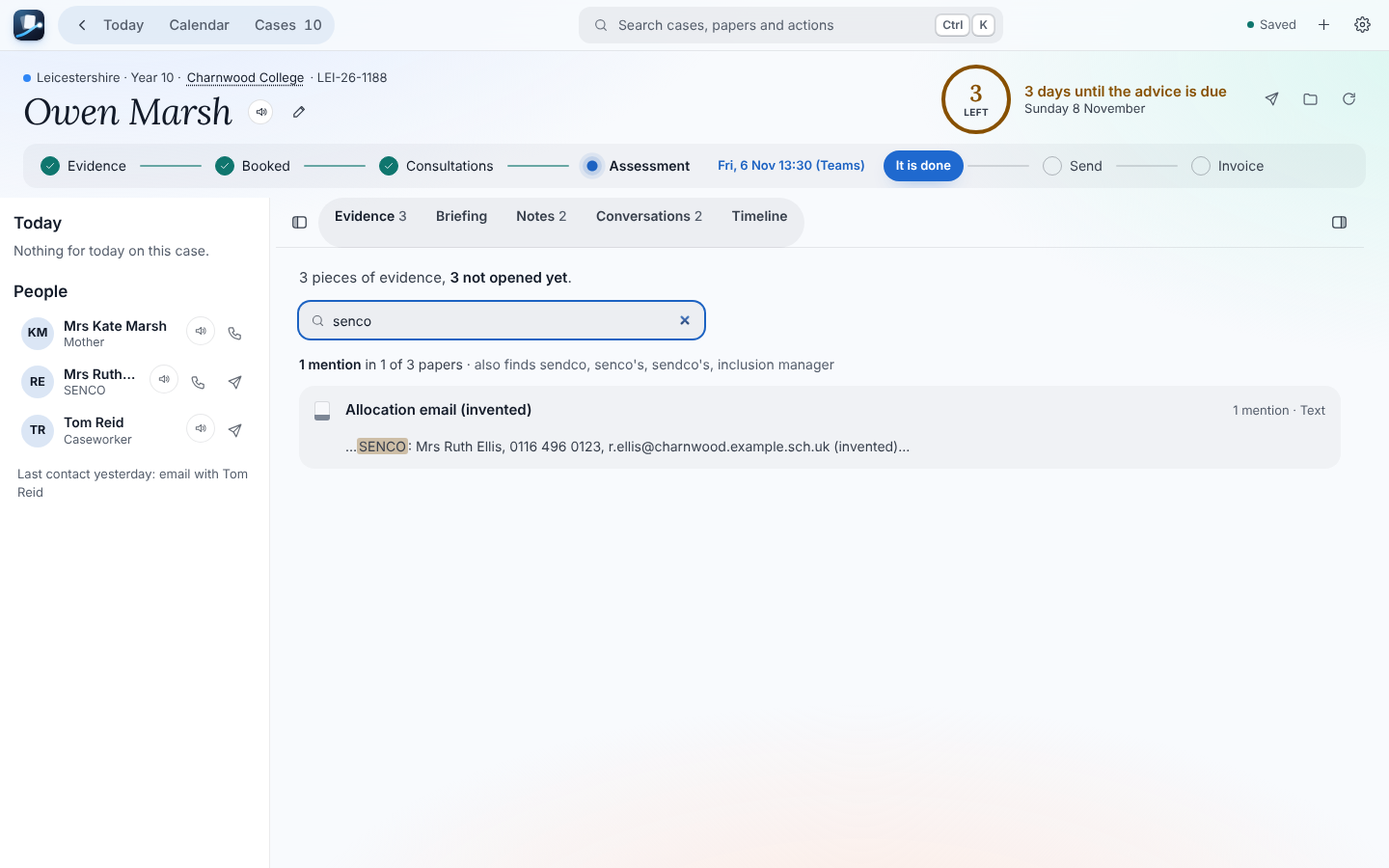
Say what you want to do
Press Ctrl K (⌘ K on a Mac) and type. Call mum of Owen, email the SENCo, invoice Lincolnshire, expect 2 Thursday, due this week. Enter does it. The same window finds every case, paper, note and person.
- Calls go through Google Voice, Phone Link, your iPhone or Teams, as you choose
- Your own shortcut if you prefer another key
- Everything is searched on your computer
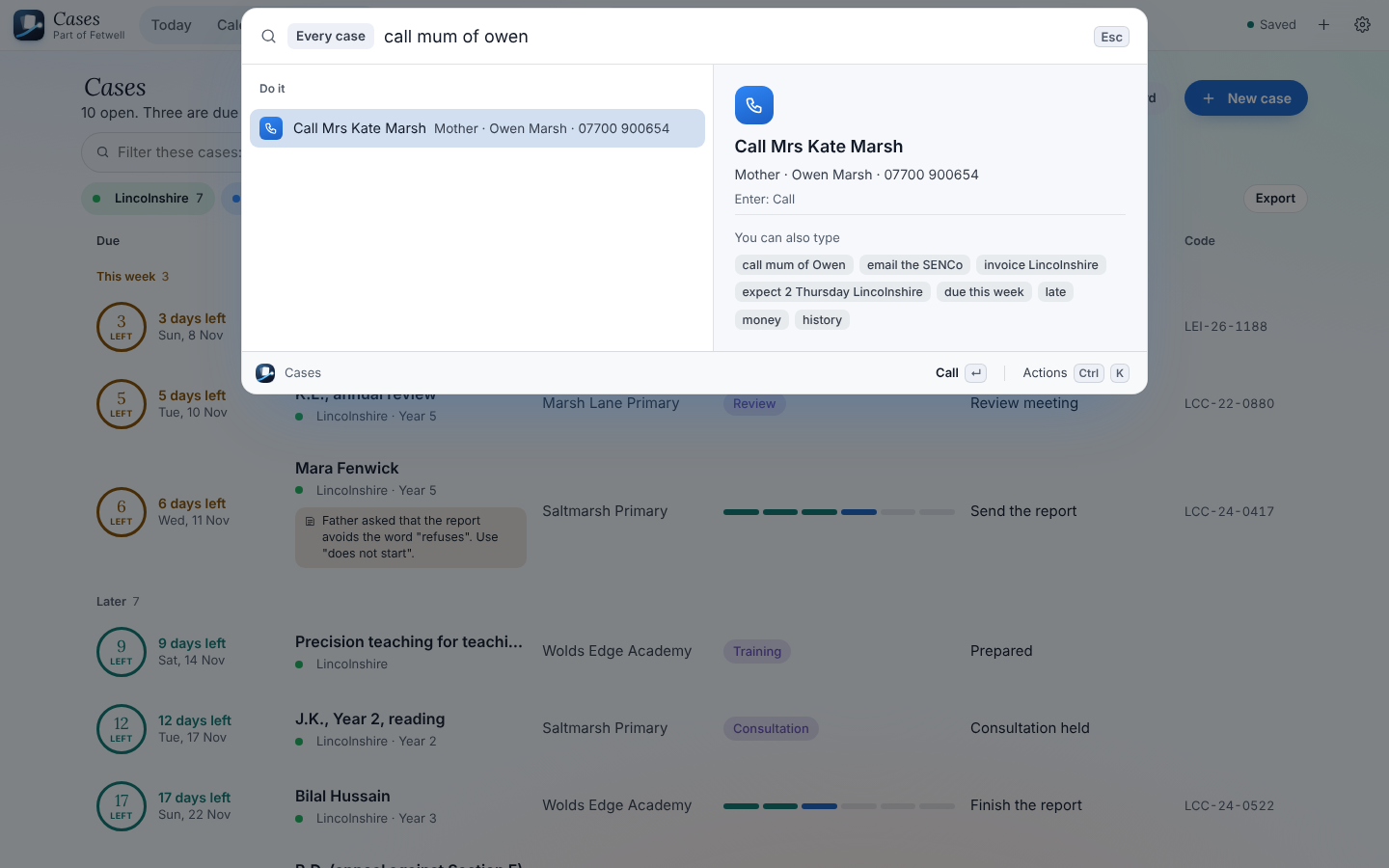
Send it, then invoice when you are ready
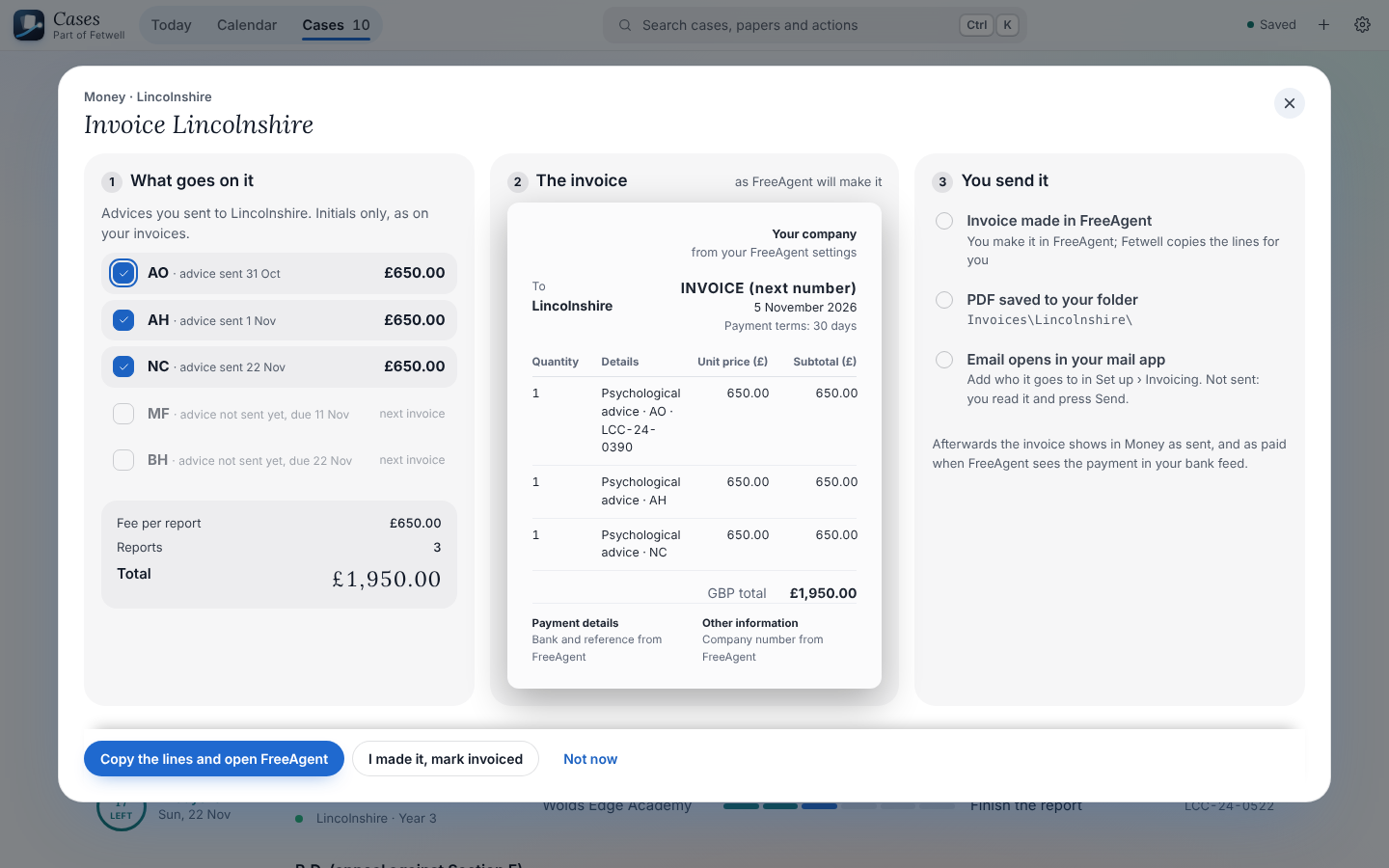
Fetwell checks the advice, writes the email the way each authority wants it, and keeps the advices you sent until you invoice them, one at a time or a few together. It works with FreeAgent directly, makes import files for Xero, QuickBooks and Zoho Books, copies the lines for Sage and FreshBooks, or lays out the invoice itself.
- Gmail drafts with the file attached; you press Send
- Money shows what is paid, waiting and overdue
- Days or a fee per report, with each authority’s terms
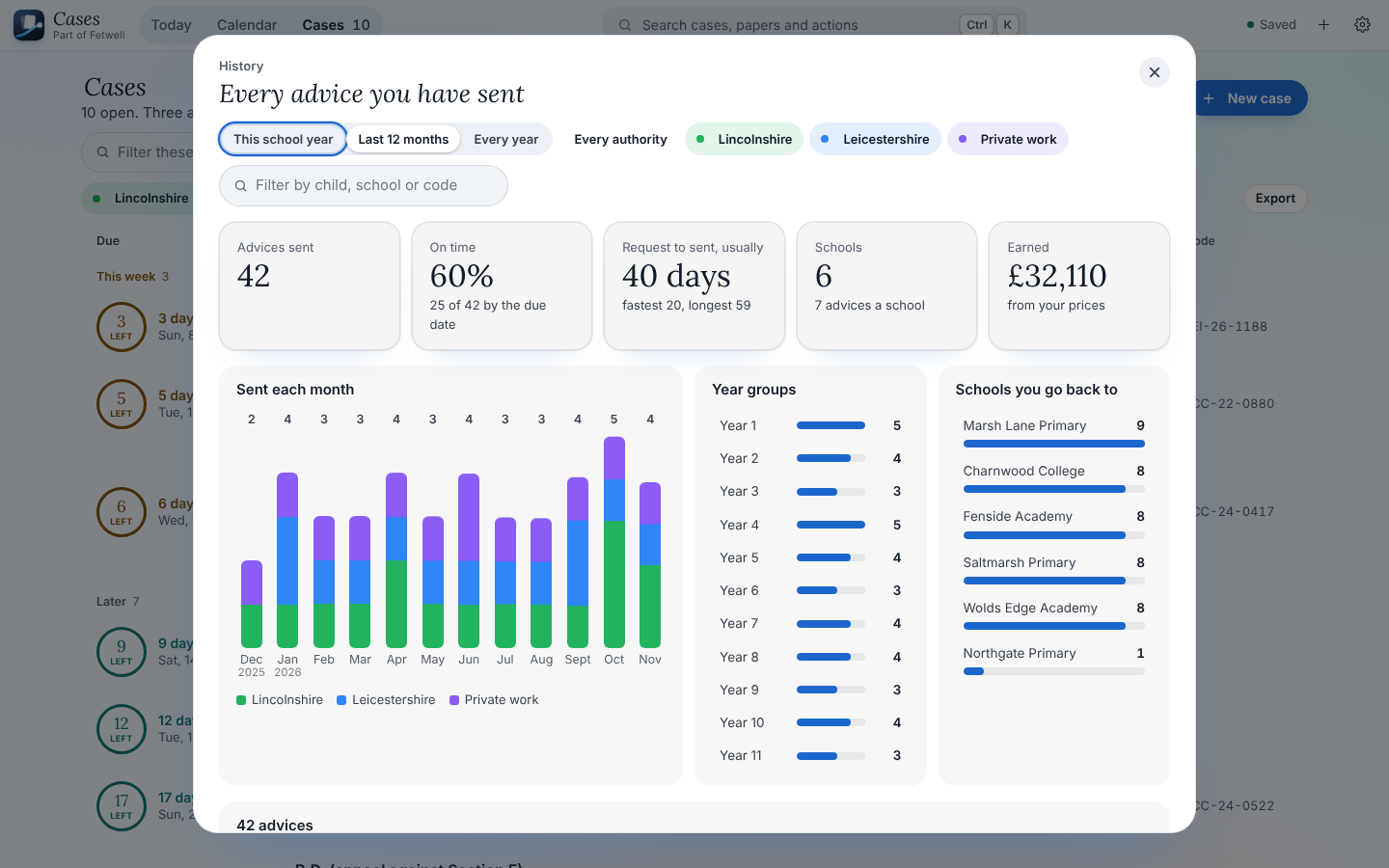
Every advice you have sent
History shows the work you have done: how many advices, how many on time, the usual time from request to sent, the schools you go back to, year groups and what you earned. Click a month or a school to see those cases.
- This school year, the last 12 months, or every year
- One authority or all of them
- Each advice opens its case
And the small things that save time
Requests coming in
New allocations from your Gmail become cases in one click. Tell Fetwell how many you expect each week, and it shows when they have come.
EHC Hub and Egress
The Fetwell extension saves the names, views and every document from a child’s Hub page into the case folder.
People found in the papers
Parents, the SENCo and the caseworker, with where each detail was found. Hear how a name is said before you ring.
Your calendar
Sessions and consultations from Google or Outlook placed on each case, and deadlines added to your calendar if you want them.
Light or dark, all day
Checked for contrast in both, with motion that can be turned down, and every action reachable from the keyboard.
Private by design
Case files stay on your computer. Anything that leaves is listed in Set up › Privacy, with what it sends and a switch to stop it.
Try Fetwell Cases
Open it in Edge or Chrome, point it at your case folders, and your first cases appear in a minute. Pro is free for 15 days.